NoAdsCooking vs AllRecipes: Which Site Actually Helps You Cook?
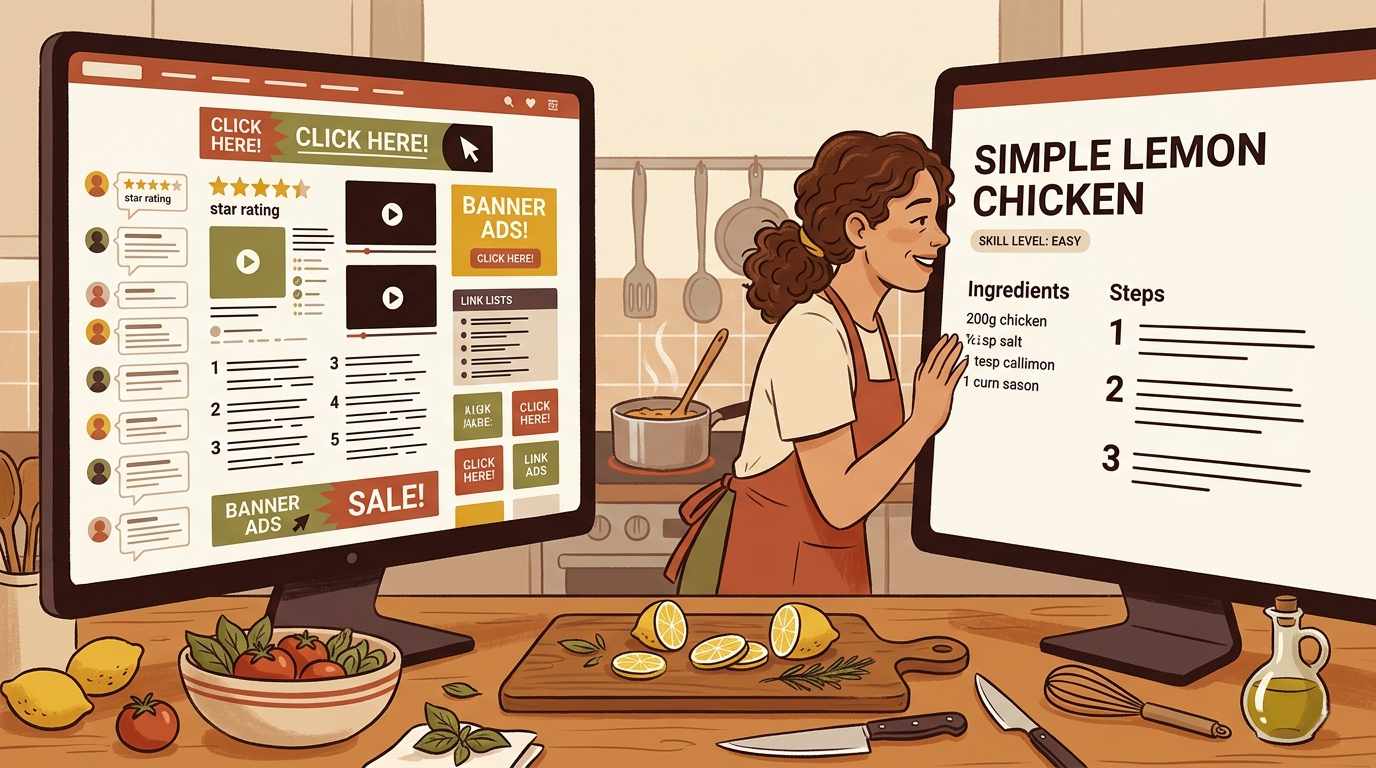
You searched for a recipe. You clicked the first result. A video autoplayed. A popup asked you to subscribe. An ad slid in from the bottom. By the time you got to the actual recipe, you’d already lost momentum. That’s the AllRecipes experience for a lot of people. And it’s not a bug, it’s a business model.
AllRecipes has an enormous library and genuinely useful community ratings. The user experience is built around maximizing ad revenue, not minimizing friction for the person at the stove. NoAdsCooking is smaller, focused, and built for the opposite: the site gets out of the way and lets you cook.
The AllRecipes experience
AllRecipes has been around since 1997 and has an enormous recipe library. There’s no denying its reach. But the user experience has changed significantly over the years, and not always in the cook’s favor.
Almost every recipe page loads a video. It plays automatically, often with sound. It doesn’t go away. Display ads, video ads, and sponsored content run throughout each page. On mobile, ads frequently appear between every two or three steps, which means you’re scrolling past ads while you’re actively cooking.
The “jump to recipe” scramble is a tell. The recipe content is buried below an intro section that can run quite long. Most experienced AllRecipes users have trained themselves to immediately look for the jump link. That’s a workaround for a problem that shouldn’t exist.
Email capture prompts, app download suggestions, and notification requests can all appear before you’ve read a single ingredient. None of this makes AllRecipes unusable. The recipes themselves are often solid, and the community ratings are genuinely useful. But the reading experience is built around maximizing ad revenue, not minimizing friction for the person at the stove.
The NoAdsCooking experience
NoAdsCooking was built around one core idea: recipe sites should be for cooking.
No ads, ever. No display ads, no video ads, no sponsored placements. The page loads fast and stays clean because there’s nothing fighting for your attention. No autoplay video in the corner. No email capture on arrival. No app download prompts.
When you land on a NoAdsCooking recipe, you’re already at the recipe. There’s nothing to scroll past.
Most recipes come in three versions: Classic, Enhanced, and Chef’s Selection. Straightforward, a step up in technique, and the full version. You pick the one that matches where you are as a cook. AllRecipes doesn’t offer anything like this.
Side by side
| Feature | AllRecipes | NoAdsCooking |
|---|---|---|
| Ads on recipe pages | Yes, heavy | None |
| Autoplay video | Yes | No |
| Popups / overlays | Common | None |
| Mobile experience | Ad-heavy | Clean |
| Recipe skill tiers | No | Yes, 3 levels |
| Community ratings | Yes, large | Growing |
| Recipe library size | Very large | Focused |
Who should use which
AllRecipes is a reasonable choice if
- You want to browse an enormous library of community-submitted recipes
- You have an ad blocker and the popups don’t bother you
- You want to read reviews from thousands of people who’ve tried the recipe
NoAdsCooking is the better choice if
- You’re at the stove and need to read steps without interruption
- You cook on mobile and find ad-heavy pages unusable
- You want recipe variants that match your actual skill level
- You’re tired of fighting the page to find the recipe
The bottom line
AllRecipes is one of the biggest recipe sites on the internet. NoAdsCooking is smaller, focused, and built for a different kind of experience: one where the site gets out of the way and lets you cook.
If you’ve ever closed a recipe tab out of frustration before you even started cooking, NoAdsCooking exists specifically for that moment.
A recipe site that gets out of your way
NoAdsCooking publishes clean recipes with no ads, no popups, and no video you didn’t ask for. The recipe is the page. That’s it.
Browse recipes, no ads